

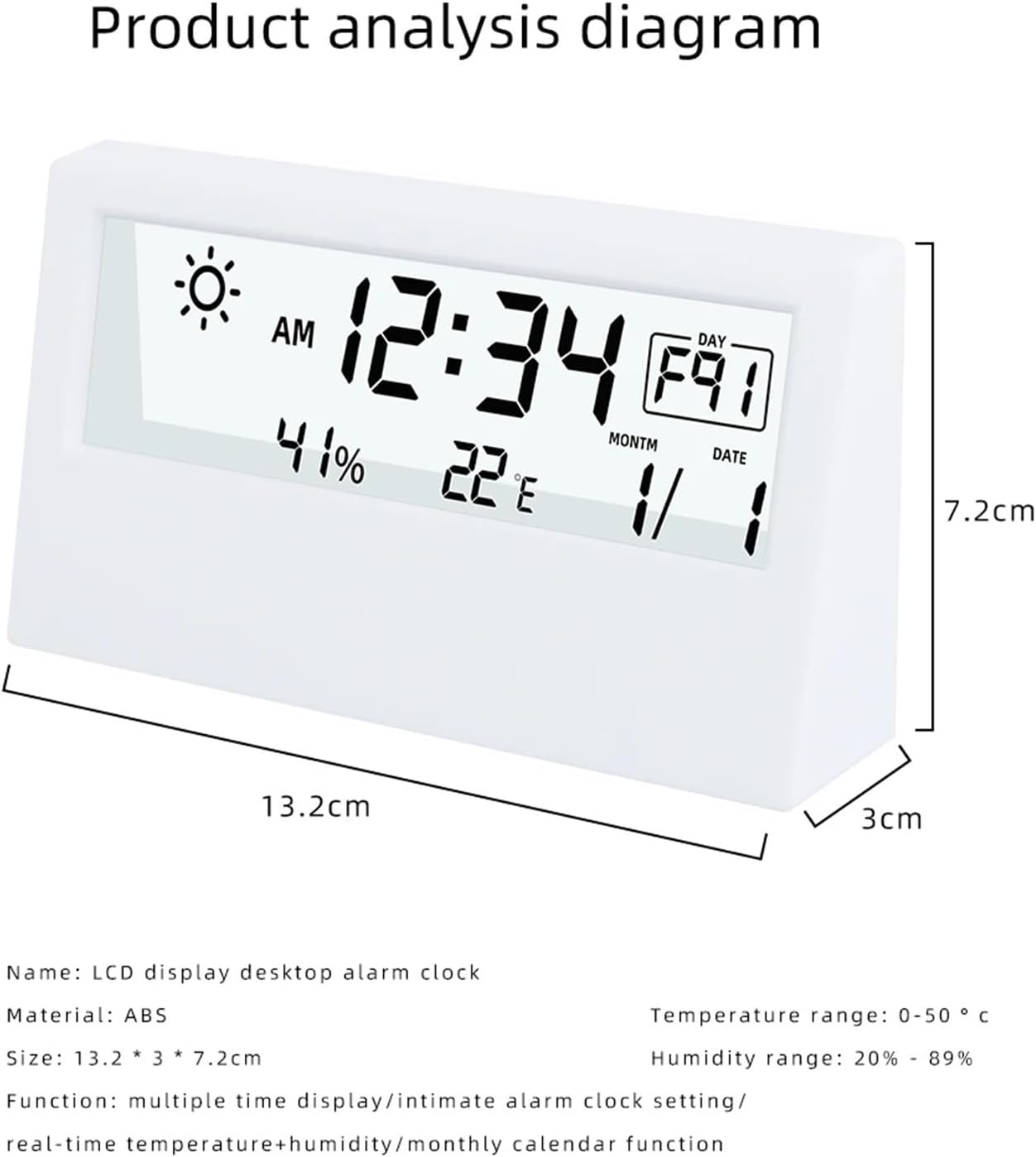
Digital Alarm Clock Temperature Humidity Meter Weather Display Electronic Transparent Luminous Thermo-Hygrometer
Product details
| Management number | 214994567 | Release Date | 2026/04/12 | List Price | $61.10 | Model Number | 214994567 | ||
|---|---|---|---|---|---|---|---|---|---|
| Category | |||||||||
Main Features: Year, Date, Week,Time Time in 12/24 Mode Alarm with snooze function Temperature C/F can be switched Humidity (range 20%-99%) Max/Min temperature and humidity record Weather image Time setting 1. After installing the battery, the screen will be fully displayed for about 3 seconds and then enter the normal time display with a single beep. 2. Under time mode, long press "SET "to enter the 12/24 hour setting mode , press the "ADJ" to select the 12/24 hour; press"SET"again to enter the hour setting, press"ADJ" to adjust to the required time; press"SET"again to enter the minute setting ,Press ADJ to adjust to the required minutes; after setting is completed, press"MODE"to confirm and exit the setting to enter the normal display interface. Alarm setting 1. Under time mode, press"MODE"to enter the alarm mode (the screen displays ALM) 2. At this time, press the"ADJ"to turn on/off the alarm clock and the hourly hour. Turn on the alarm turn on the hourly time signal turn on both the alarm clock and the hourly hourly signal turn off the alarm clock and the hourly hourly hourly signal at the same time. 3. Long press the"SET"button to set the alarm hour, press "ADJ"to adjust the hour, then short press the"SET"button to set Alarm minutes, press"ADJ"to adjust the minutes, then press the"MODE"button to confirm the setting, and then press the"MODE"button twice to exit the setting and enter the normal display interface. Snooze setting 1. When the alarm sounds, press the"SZ" to turn on the snooze function; when there is no operation, the snooze function will be activated 1 minute after the alarm sounds. Can be turned on automatically; 2. When the snooze function is turned on, the alarm clock will sound once every 5 minutes, and the snooze symbol w
- Small and portable.
- Clear and intuitive display.
- Display temperature, humidity.
- Low power consumption, high stability and accuracy.
| Brand Name | CVGfko |
|---|---|
| Unit Count | 1.0 Count |
| Manufacturer | CVGfko |
| Manufacturer Part Number | QI2BM259516 |



Bestseller ranking
Fuse Boxes



Customers who viewed this product also viewed
Weather Monitoring Clocks


Correction of product information
If you notice any omissions or errors in the product information on this page, please use the correction request form below.
Correction Request Form